I spend a lot of my time reading blog articles using my feed reader and wanted a lightweight way to capture interesting quotes and commentary directly into my blog. Rather than manually creating markdown files, I built, with a lot of assistance from Claude, a two-part automation system: a Node.js script that generates posts from parameters, and a browser bookmarklet that extracts article data from Feedly.
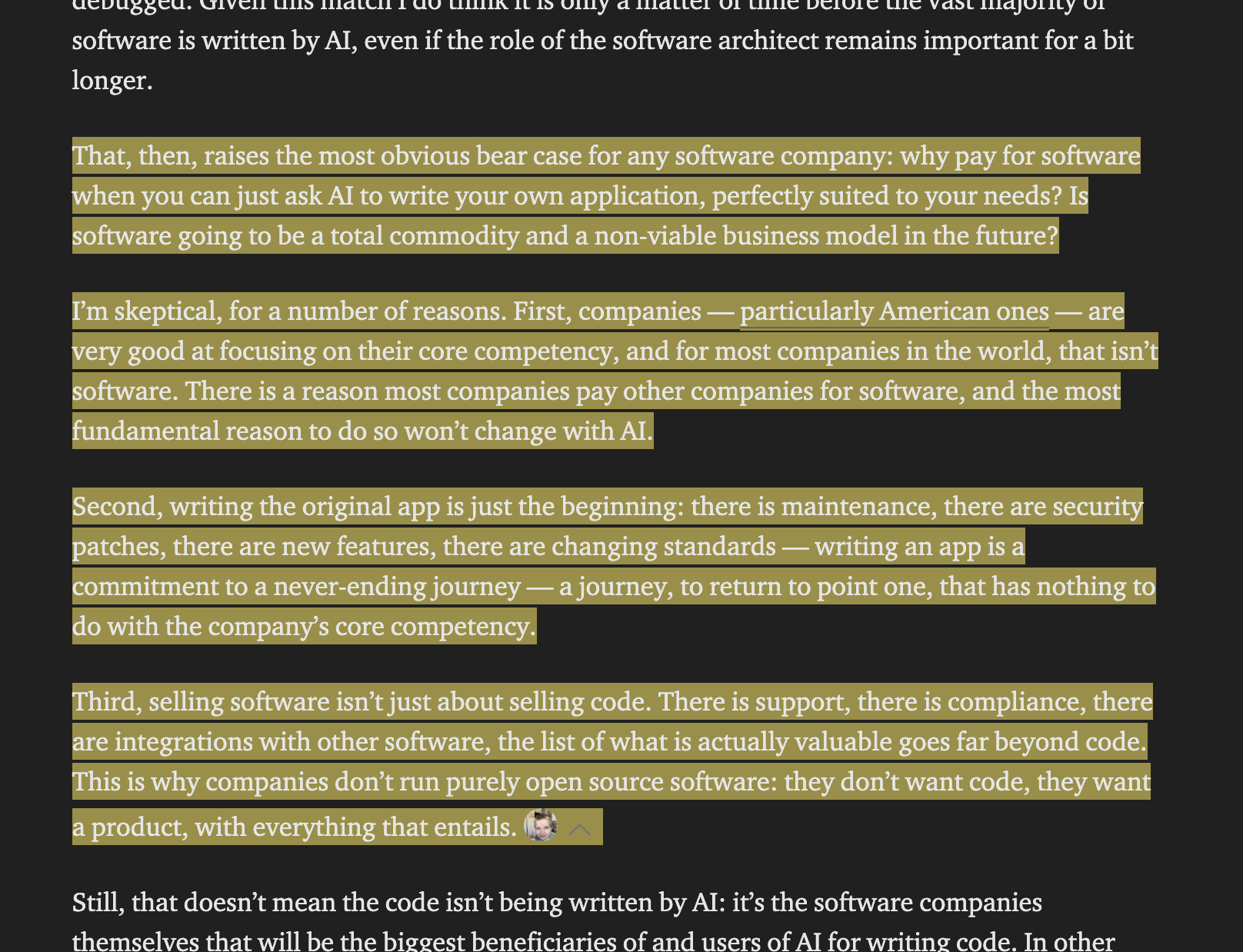
The basic idea is that when I read through my feed and see something interesting I can use Feedly’s native highlighting functionality and notes to add my commentary and then use that as a source for post generation.
How Hexo Works
I currently use Hexo for my blog. Hexo is a static site generator that converts markdown files into HTML. Here’s the basic workflow:
- Source files: You write markdown files in
source/_posts/with YAML frontmatter metadata (title, date, tags, etc.) - Generation: Running
hexo generateprocesses these files through templates and outputs static HTML to thepublic/directory - Deployment:
hexo deploypushes the generated HTML to your hosting (in my case, GitHub Pages)
The key advantage is that your entire blog is version-controlled markdown files—no database, no complex tooling. Each post is just a file with metadata and content. I also do not need to worry about anyone hacking my site as there is no administrator login.
Creating the Quote Post Script
To automate post creation based on the article. I built a Node.js CLI script (tools/create-quote-post.js) that:
- Accepts command-line parameters: author, URL, title, publication date, quote, and commentary
- Generates proper frontmatter: Creates YAML metadata with tags, source information, and post date (today, not the article date)
- Formats the markdown body: Renders the quote as a blockquote and includes your commentary
- Writes the file: Creates a markdown file in
source/_posts/with a sanitized filename
Example
1 | node tools/create-quote-post.js \ |
Generates a post with:
- Frontmatter including
source_author,source_url, andsource_date(preserving the original article’s date) - Post date set to today
- Proper YAML list formatting for tags
- Quote rendered as markdown blockquote
Directory Structure: The scripts live in tools/ rather than Hexo’s scripts/ directory, which prevents Hexo from trying to load them as plugins during the build process.
This script serves as the base for the automation hook.
Extracting Data with a Feedly Bookmarklet
For extracting the data off of Feedly there are a few options. Feedly does have an API but that is only available for the Enterprise plan. One option to create a workflow would have been to use IFTTT to create an automation using the Feedly applets and then call a web api with that. I might still do that as that might more mobile friendly, but for a first try I decided to just use the browser. As a simpler alternative to a browser addon, I made a bookmarklet that:
- Extracts article data from Feedly’s DOM:
- Title, URL, author/publication name
- Publication date (parsed from Feedly’s date format)
- All highlighted text (grouped by paragraph to preserve structure)
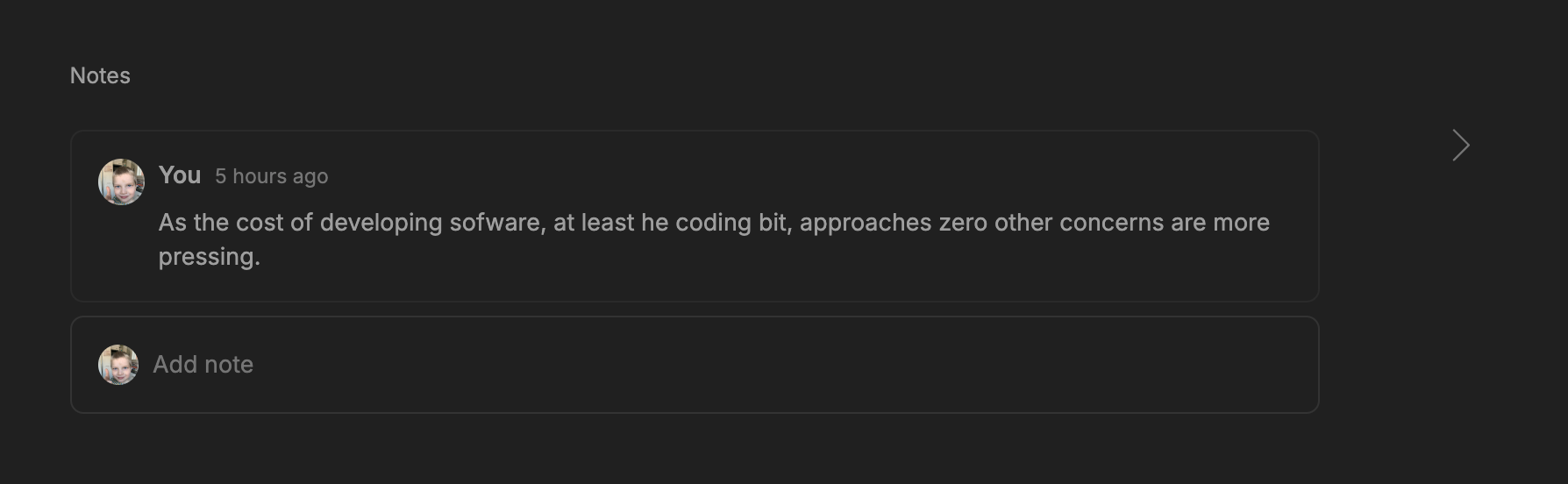
- Any notes/comments I added in Feedly
- Feedly board names as tags
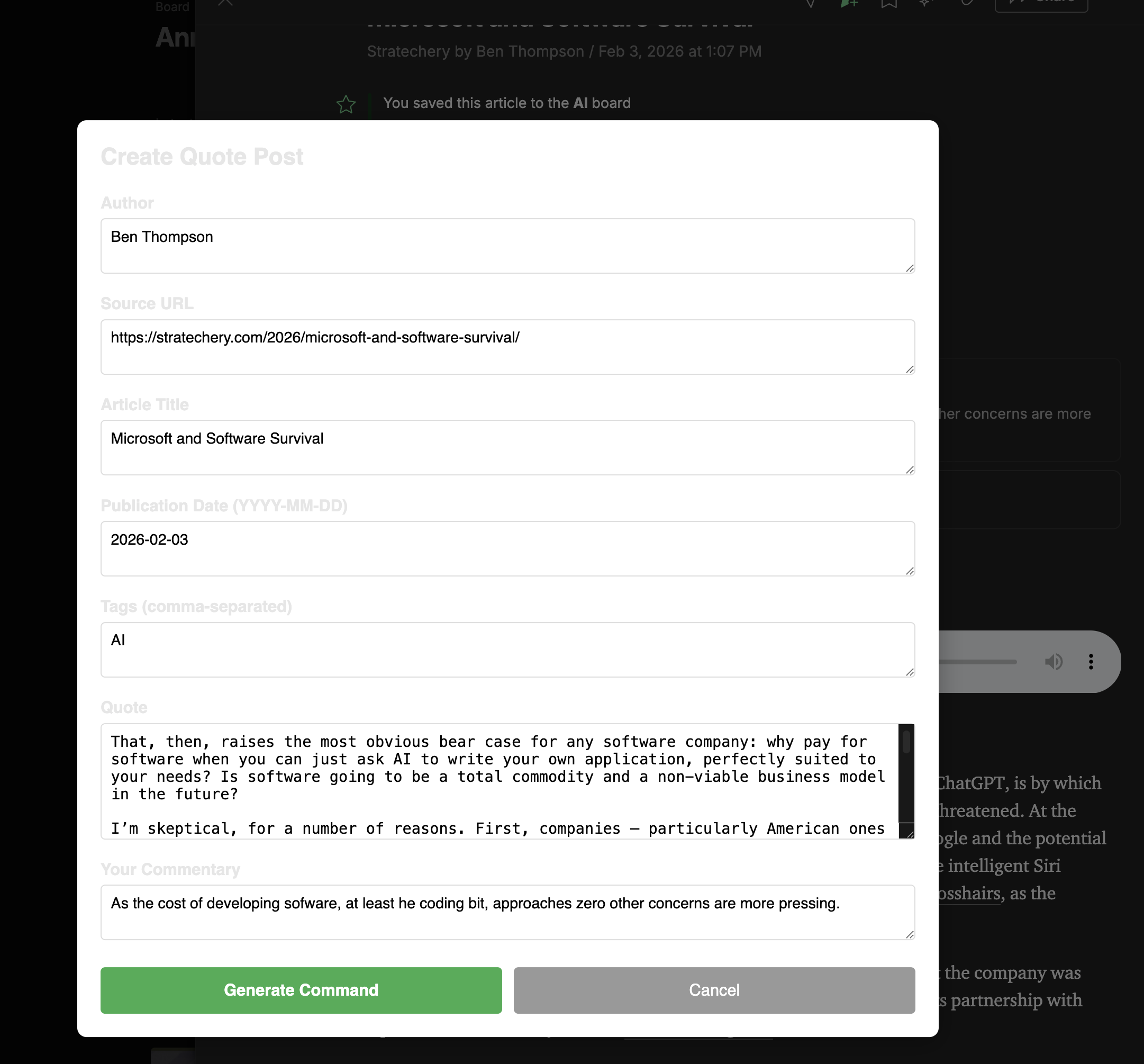
- Presents an editable form in a modal dialog where I can:
- Review and edit all extracted data
- Add or modify my comments further
- Adjust tags before generating
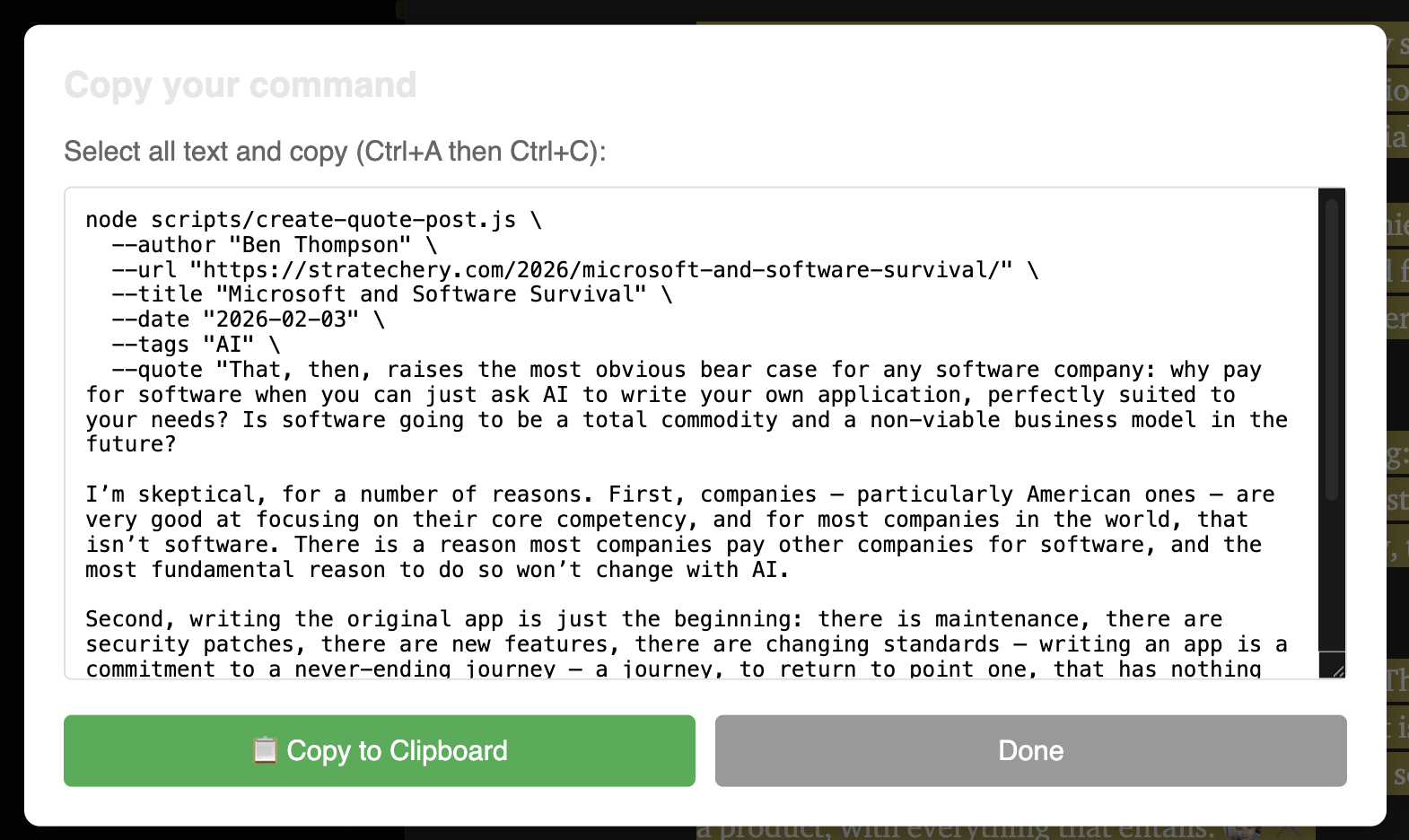
- Generates the bash command for the post creation, ready to copy and paste into my terminal
Part 2: Web Server Automation (Coming Soon)
While the bookmarklet works well for one-off posts, the next step is building a lightweight web server that can:
- Accept article data via HTTP (from a bookmarklet or API endpoint)
- Generate and commit the post automatically
- Trigger a blog rebuild and deployment
- Return the published post URL
This would eliminate the need to manually run the script, enabling a one-click publishing workflow directly from Feedly.
Want to try it? The bookmarklet and script are open for customization. You can find:
- The minified bookmarklet in BOOKMARKLET.md
- The extraction logic in feedly-bookmarklet.js
- The post creation script in create-quote-post.js
Note: At the moment the form is not quite usable inside Feedly, but the buttons work.